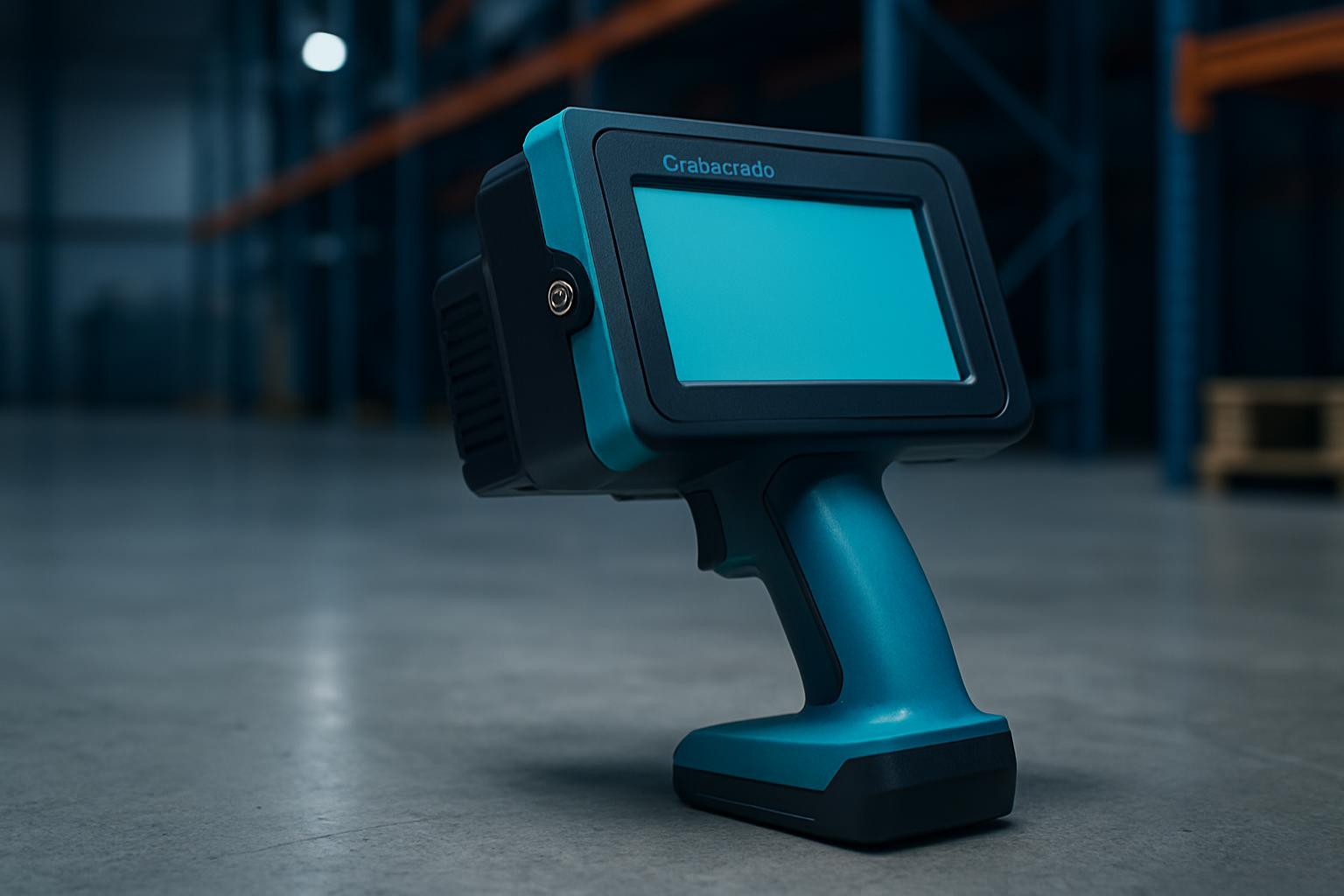
CrateCode XL answers the need for wide marks in busy South African yards, cool rooms, and loading bays. Bulk packers, mobile dispatch crews, and warehouse operators working from Midrand to Gqeberha find it fits jobs where cartons, crates, or awkward loads need clear, legal marks before transport. It suits teams who move between substrates and marks, from cold chain exports near OR Tambo to timber yards in Durban or Polokwane.
If you only work with small boxes, short runs, or soft films, or you need ultra-fine detail, you may want to look at FieldPath Mini or MarkMate Pro instead. CrateCode XL is for bulk marks at walking pace - not for fine product labelling or awkward micro-print jobs.
On a real shift, CrateCode XL keeps batch codes honest before the bakkie pulls out or the pallet is wrapped. Operators mark crates, steel bins, or timber lengths without needing to reroute product to a fixed line. You walk with the device, name the substrate, check the ink and head pressure, and make a clear first mark. The wide head prints in a single pass what would take three motions with a small printer.
In Highveld summers, coastal humidity, or cold room chills, the device stays reliable. Aisle changes and template swaps happen on the go. We keep templates, cartridge notes, and common reject reasons on a check card, pinned near the bay for quick reference. Template bay and Fields may help for teams rotating jobs across shifts.
Your crew runs a Gauteng crate yard with outgoing pallets for retail distribution. The day’s first task is to mark export batches and aisle positions. You set CrateCode XL to the right template for the substrate - rough timber and shrink-wrapped product. After a quick photo of the first successful mark, you move aisle by aisle.
Mid-shift, a batch of steel bins needs urgent export coding. You grab a cartridge checked for metals, adjust pressure, and walk the aisle at a steady pace, getting each bin marked before the truck loads. If you hit a problem or ink mismatch, you check the pinned card for tips or swap to a backup cartridge from the Care & Spares Kit.
You get more accurate help and avoid downtime if you prepare basic info before emailing. Send a clear photo of the typical substrate (timber, carton, steel, foam or film) and describe your team’s walk speed. If possible, mention which cartridge types you have tried, if any. Spare packs are sensible if your warehouse aisles are long or you cover day and night shifts.
Give concrete details so we can assess the issue properly. Our team can help you pick the right device or link you to related notes like Codes notes or field pairing if bulk dispatch needs a different approach.
CrateCode XL works best when set up for your actual workflow, not left on default settings. Common pitfalls include mismatched cartridges on oily steel, too much head pressure on foam, or using one operator’s preferred settings for all substrates. Avoid skipping the first photo of a good mark - it settles disputes and speeds up restarts after a power cut.
Some teams forget to check spares or clean the head between cold, wet, and dusty conditions. Rush jobs pushed through without a clear substrate photo often get delays later. If your needs start moving into fine labelling or micro-detail, it is better to ask us about MarkMate Pro before outgrowing your device. For any help, send a message through our contact form and we will match your kit to your floor.
| Ink / cartridge | High-contrast black / white options |
|---|---|
| Print / walk | 50 mm band · multi-line templates |
| Power | Dock charge · spare pack bay |
Verified Google reviews