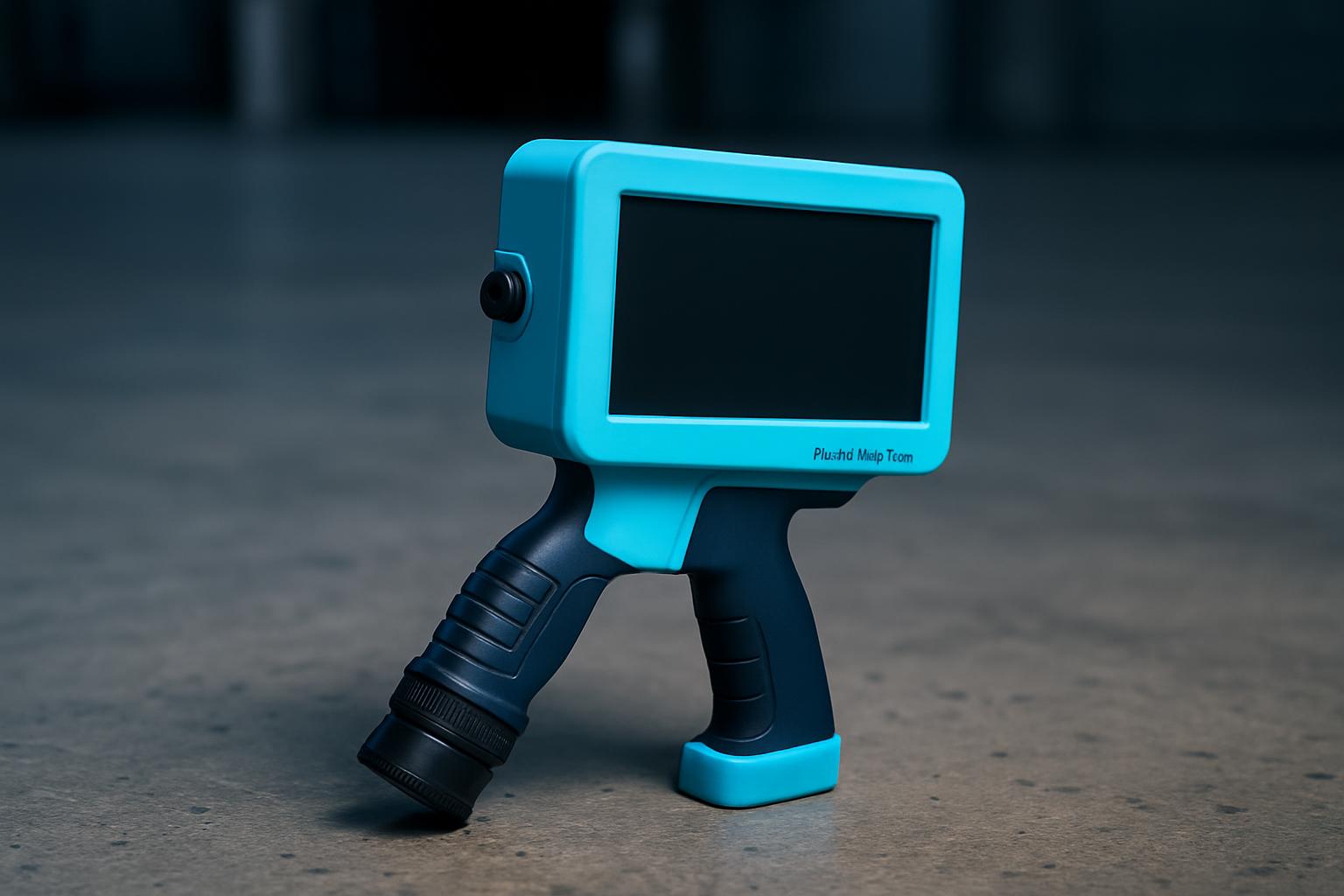
MarkMate Pro is built for the days when fixed coders cannot keep up with moving stock or last-minute picks, but the mark still has to last until dispatch or audit. It prints production data, batch codes, or tracking marks directly onto cartons, timber, steel, and soft films, right where your teams work. We see it most in Gauteng and coastal warehouses, food packers in cold rooms, component yards in Bloemfontein, and busy crate operations in Limpopo and KZN.
This is not a trial gadget. MarkMate Pro is the tool for operators who need every code clear before the truck or bakkie leaves. It suits floors where the shift walks faster than the line moves, and where you do not have time for long manuals or software tinkering.
MarkMate Pro is for the operator covering real metres with mixed surfaces, cartons, timber, steel, and films all in one shift. It works in busy yards, export bays, and anywhere a fixed printer falls short. This device is carried by teams that move quickly, sometimes across cold rooms, open yards, or up and down warehouse aisles.
MarkMate Pro is not the right fit if you only code one type of product, or if you run high-speed lines where every mark is exactly the same. If your business already runs a fixed coder on every bay or you handle only soft films, consider InkCell Soft or a fixed solution. For field teams who need to print away from any plug, FieldPath Mini could be the better choice.
A typical shift starts with the operator setting up the MarkMate Pro using a short, practical check card supplied by our team. The device is matched to the job, cartridge and template are set for the substrate, whether that is a double-walled carton, a painted steel drum, or a rough timber plank. Template adjustments can be made on the spot, without pausing other work.
The first proper mark is photographed and kept on a phone or pinned in the bay. This is how teams recover fast after a power cut or template change. The cartridge is checked twice if more than one person shares the device. Keeping a photo of the first good code settles arguments before a shift restarts or an export batch closes.
If you are operating in damp bays in Cape Town or facing Highveld heat in Germiston, the MarkMate Pro stays consistent. We supply extra tips and short notes that you can pin above a dock or near a picking point, operators do not need a manual.
A timber packer in Germiston receives a mixed shipment: pine planks for export and recycled cartons for local delivery. The operator selects the MarkMate Pro, fits the correct cartridge, and loads the timber template. After marking the first plank, they photograph the batch code and pin the image by the roller door.
Later, when the line swaps to cartons, it takes thirty seconds to change templates and swap to the carton-ready cartridge. The operator can walk the aisle and code each pack before the bakkie loads out. If a supervisor needs proof later, the shift’s mark photo is on hand. This workflow saves time and avoids rework on both timber and carton lines.
Getting the right MarkMate Pro for your workflow starts with the details you supply. We match the device and cartridge to your real job, avoiding wasted time or wrong marks. Have your substrate sample ready, and know the general walking speed or how your team covers ground. Photos help.
For shared devices, let us know which cartridges your teams already use and if you swap between lines. Send a message through our contact form with these details, and we will advise honestly, sometimes pointing you to a different device or a field-specific tool.
Rushing setup can lead to marks rubbing off, template errors, or wasted runs. Always photograph the first good code of the shift and keep a record nearby. Swapping cartridges without checking compatibility creates confusion, especially in teams with mixed duties.
Avoid using a single device across incompatible substrates. If your operation jumps between oily steel and soft foam, or from open yards to cold storage, ask us for cartridge and template advice. Read the linked Codes notes and check the Process guide before your first order. Emailing for support before a big run often saves a scramble later.
| Ink / cartridge | Industrial solvent cartridge set |
|---|---|
| Print / walk | 25.4 mm print height · carton & timber modes |
| Power | Hot-swap pack · 8 h shift target |
Verified Google reviews